Best Desk Setup for Engineering Students
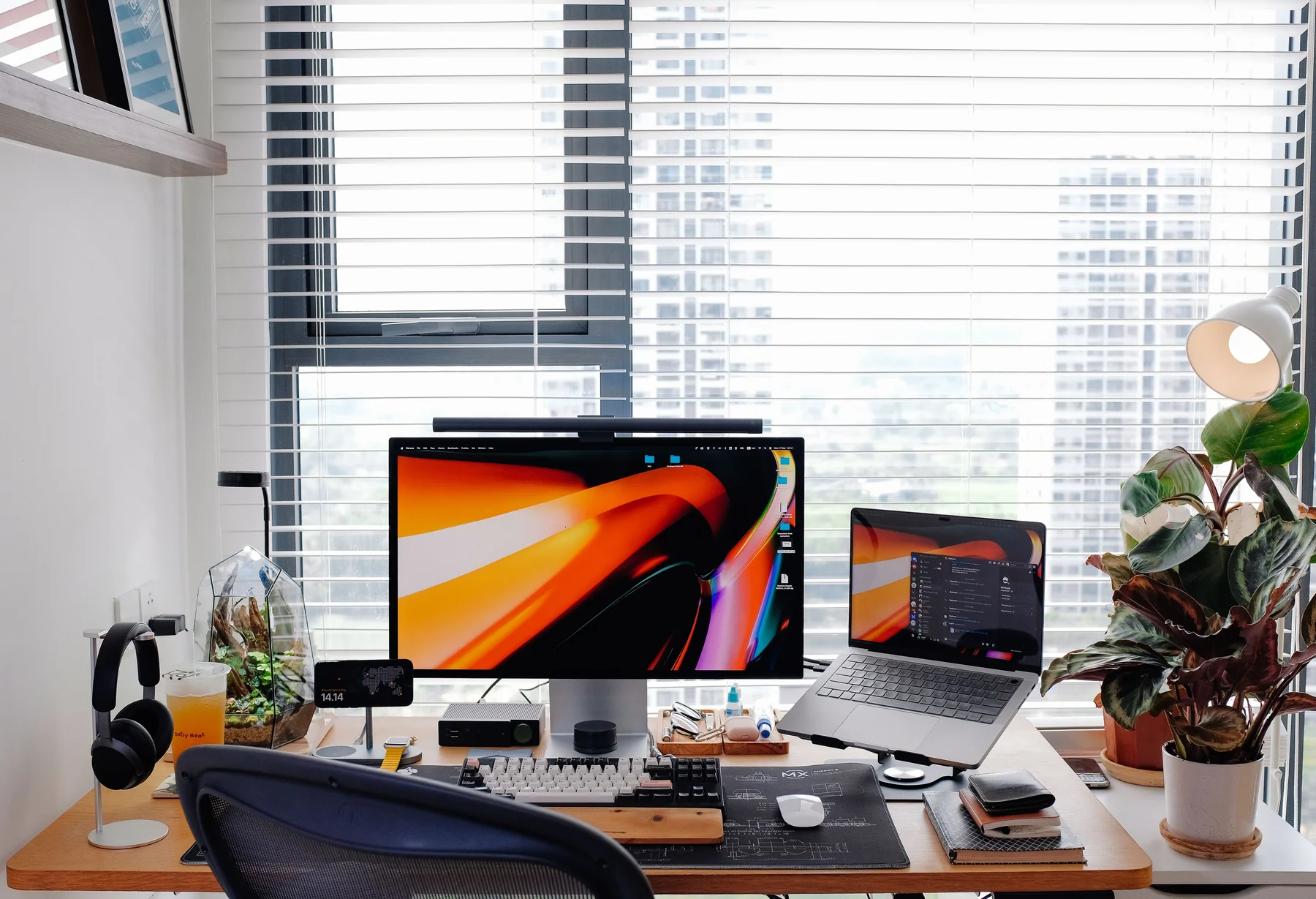
Build an engineering-study workspace around the monitor, chair, input devices, laptop stand, dock, lighting, and equipment you actually use.
- Published
- August 12, 2026
- Last updated
- August 12, 2026
- By
- BuildGauge Editorial
Start with what you already own
A good desk setup is not a list of accessories. Record the desk, chair, display, keyboard, mouse, audio, and laptop equipment already available, then identify the limitation that interrupts work most often.
A sufficient keyboard or monitor should stay. Reusing it can move budget toward seating, a display gap, or simply remain unspent.
Monitor, chair, keyboard, and mouse
A readable monitor can improve every coding, CAD, report, and research session. A chair with useful adjustment can support long desk sessions, but no chair should be described with medical guarantees.
Keyboards and mice should fit the actual work. CAD users may benefit from programmable controls; portable laptop users may prefer compact wireless input. Beginners do not need a deep vocabulary of switches to choose well.
| Area | Buy when | Wait when |
|---|---|---|
| Monitor | Current display limits workspace or clarity | A good 1440p-class display is already owned |
| Chair | Existing seating lacks useful adjustment | Current chair is comfortable and serviceable |
| Keyboard / mouse | Input causes real workflow friction | Existing input is reliable and suitable |
| Laptop stand | External input and better positioning are planned | It would make the built-in keyboard awkward |
Dock and connectivity logic
A dock is justified when a compatible laptop repeatedly connects to power, displays, Ethernet, storage, and peripherals. A simple hub may be enough when the requirement is only a few USB ports or one display.
Verify USB-C, USB4, Thunderbolt, charging, and display support against the exact laptop. A connector shape does not guarantee every feature.
What can wait
Decorative lighting, premium desk mats, branded cable accessories, and speaker upgrades can wait until the display, seating, and primary input needs are solved. Basic reusable ties and sensible routing often create most of the cable-management benefit.
Engineering equipment needs safe, organized storage, but that may be a simple labeled bin or pegboard rather than a premium organizer. Keep part of the budget for components, textbooks, software, or later discoveries.
A desk setup should be built in a deliberate order
Begin with a stable work surface, a chair position that lets the feet rest securely, and the laptop or computer already required for school. Next, place the primary display at a readable height and distance. Only then evaluate keyboard, mouse, lighting, charging, audio, and storage. This sequence prevents accessories from hiding a basic space or posture problem.
Use the desk for a week before filling it. Engineering study shifts between typing, handwriting, breadboarding, reading, and video calls, so empty surface area has value. A large desk mat, monitor stand, or permanent equipment rack can become an obstacle if it occupies the area needed for circuits and notebooks.
Dorm desk, home office, and project bench are different setups
A dorm desk rewards compact, removable choices: one monitor, a small lamp, closed headphones, a portable charger, and cable management that does not damage furniture. A home study desk can support a larger display, arm, speakers, and a more permanent dock. A project bench needs a heat-resistant work area, task lighting, safe power, and storage that keeps tools from invading the computer zone.
Do not turn a sleeping or shared room into an electronics lab without considering ventilation, soldering rules, battery safety, and roommates. Hot tools and exposed circuits need a deliberate place. If that place does not exist, use a campus lab or makerspace rather than forcing specialized equipment onto a general study desk.
| Environment | Buy first | Delay |
|---|---|---|
| Dorm / shared room | Compact lighting, one display, headphones | Large speakers and permanent lab gear |
| Home study desk | Ergonomic display position and dependable inputs | Decorative accessories |
| Electronics bench | Task light, safe power, protected work surface | Instrumentation without a defined project |
Comfort comes from adjustability, not premium branding
Set chair and desk height so shoulders stay relaxed and wrists do not bend sharply upward. Put the main screen roughly at arm's length, then adjust height for comfortable head position and individual vision. A laptop used for long sessions usually benefits from a stand plus external keyboard and mouse, but the stand must not consume the writing area.
Lighting should reduce glare and keep paper readable without shining directly into the eyes or display. Take movement breaks instead of expecting one chair to eliminate long-session fatigue. An inexpensive footrest, monitor riser, or different keyboard position can solve a specific fit issue more effectively than replacing the entire setup.
What deserves budget and what can wait
A reliable mouse, comfortable keyboard, useful task light, and surge-protected power are defensible when the existing items create daily friction. A dock is useful when one cable repeatedly connects the laptop to display, network, power, and peripherals; otherwise a simple adapter may be enough. Backup storage deserves priority when important project files exist only on one device.
Mechanical keyboards, microphone arms, premium speakers, elaborate cable trays, and display light bars are optional until a use case appears. Buy specialized lab storage with the tools, not before them. Preserve part of the setup budget for course kits and requirements that arrive after the semester starts.
Examples from the current BuildGauge catalog.
These examples illustrate the product classes discussed above. The advisors rank products from your complete answer set.
Dell UltraSharp U2724D
A productivity-focused 27-inch QHD-class monitor with an adjustable stand and broad hub connectivity for programming, engineering, and professional work.
- Typical planning range
- $360-$480
Logitech MX Master 3S
A multi-device productivity mouse for programming, CAD, spreadsheets, and creator workflows that benefit from additional controls and horizontal navigation.
- Typical planning range
- $90-$120
Nexstand K2 Laptop Stand
A portable adjustable laptop stand for students and hybrid workers who need a raised screen in more than one location.
- Typical planning range
- $30-$50
Anker 565 USB-C Hub
A value laptop hub for a practical one-cable-style desk with common peripherals and display connections when a full premium dock is unnecessary.
- Typical planning range
- $55-$80
Some links on this page may be affiliate links. BuildGauge may earn a commission if you purchase through them at no additional cost to you. Recommendations are selected independently.
Turn the guidance into one clear answer.
Tell BuildGauge your budget, existing equipment, and priorities. Every prefilled answer can be changed.